
Extensión de navegador de SaveClipX
Un pequeño botón Guardar aparece en la publicación que estás viendo. Al pulsarlo, SaveClipX se abre en una pestaña nueva con el enlace ya escrito, así te ahorras copiar y pegar. La extensión nunca descarga ni sube nada por su cuenta, solo lleva el enlace.
Chrome, Edge, Brave, Arc y Opera. Gratis, sin cuenta, nada almacenado.
También en estas tiendas
Instalación en un clic, las actualizaciones llegan solas.
Cómo instalarla en 4 pasos
- 1Pulsa el botón de descarga de abajo, luego haz clic derecho en el archivo y elige Extraer todo. Obtienes una carpeta llamada saveclipx-extension.
- 2Abre una pestaña nueva y entra en chrome://extensions
- 3Activa el Modo de desarrollador, el interruptor de la esquina superior derecha.
- 4Pulsa Cargar descomprimida, selecciona la carpeta saveclipx-extension y pulsa Seleccionar carpeta. Listo, el icono aparece en tu barra.
- *Consejo: elige la carpeta en sí, no la abras y no selecciones el zip. Chrome solo acepta una carpeta que tenga manifest.json dentro.
Cómo se ve

Qué hace la extensión
Pastilla Guardar en cada publicación
Un pequeño botón Guardar se coloca en publicaciones, feeds, Reels, Shorts y TikTok, así nunca sales de la página por la que vas bajando.

Cualquier vídeo, en cualquier parte
Una pastilla flotante aparece en sitios para los que no tenemos página, siempre que haya un vídeo real reproduciéndose.
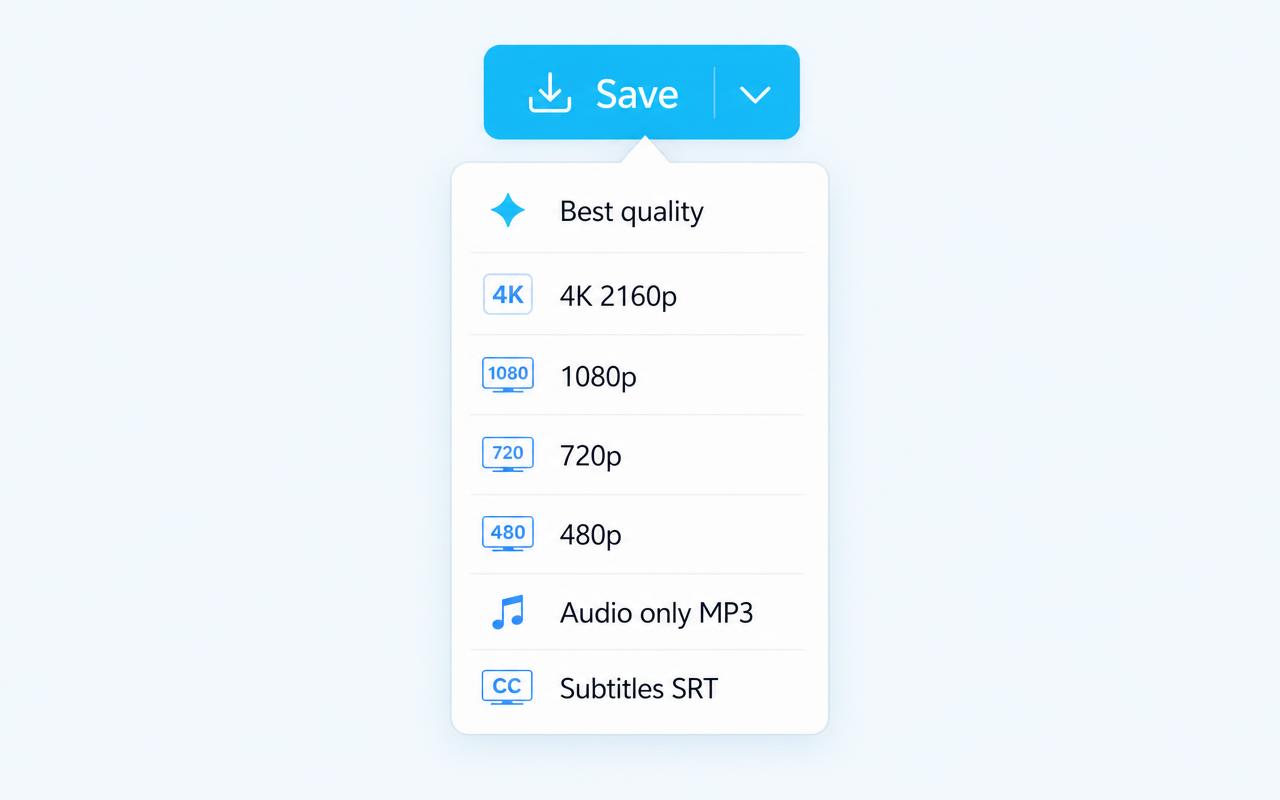
Selector de calidad
La flecha junto a Guardar abre la mejor calidad, 4K 2160p, 1080p, 720p o 480p. Tu elección queda como predeterminada.

Solo audio, MP3
Saca únicamente el sonido de cualquier clip compatible, desde el mismo menú.
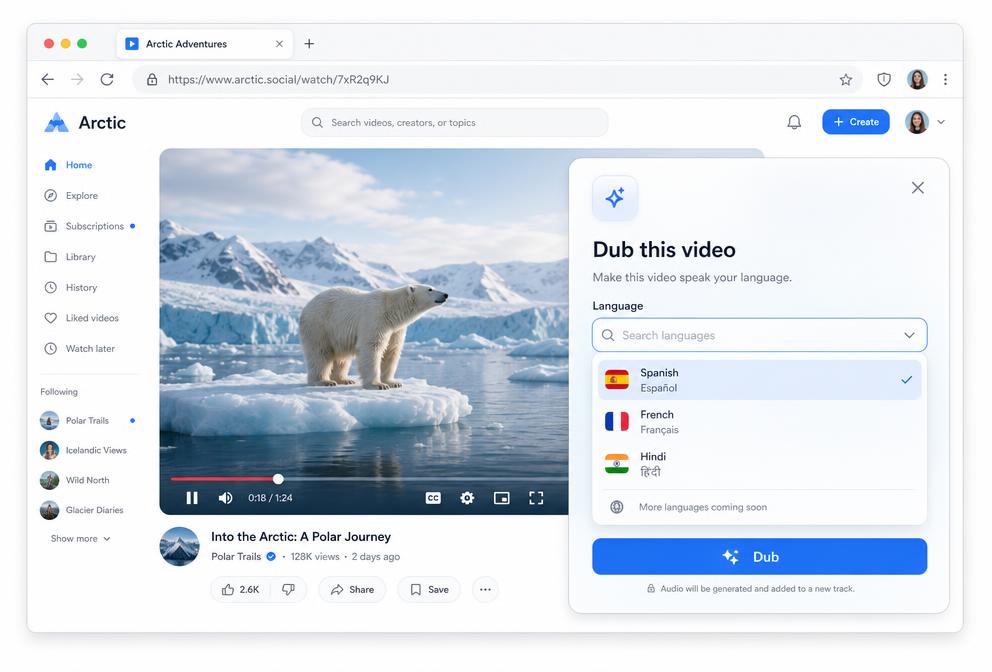
Dobla el vídeo sin salir de la página
Elige un idioma y el vídeo que ya estás viendo empieza a hablarlo, en un panel sobre la misma página, sin ir a otro sitio.
Más de 190 idiomas de doblaje
Un selector con buscador cubre todos los idiomas importantes, más pidgins y criollos, y recuerda tu última elección.
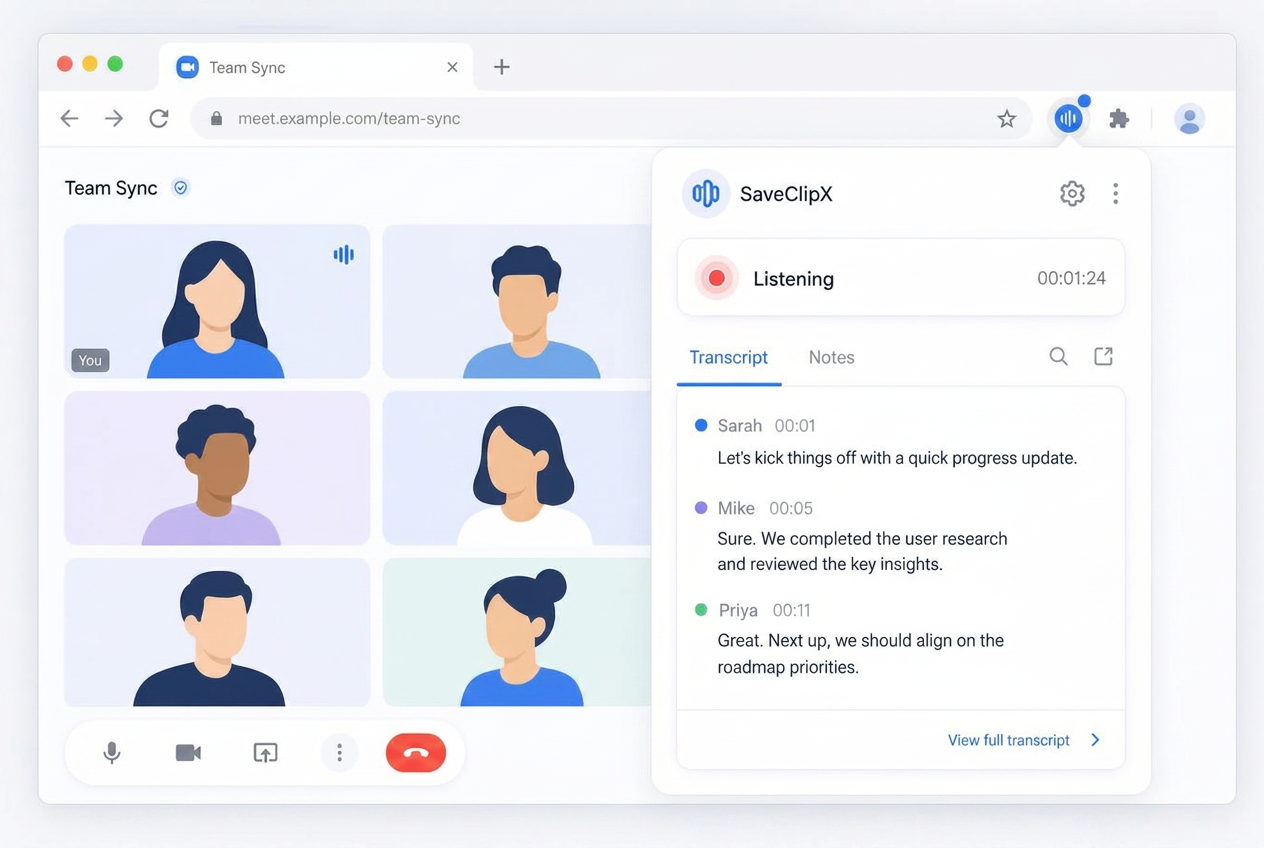
Voz a texto para reuniones
Empieza a escuchar en la pestaña de la llamada y lo que se dice se escribe en vivo, mezclando el micrófono y el audio de la pestaña.
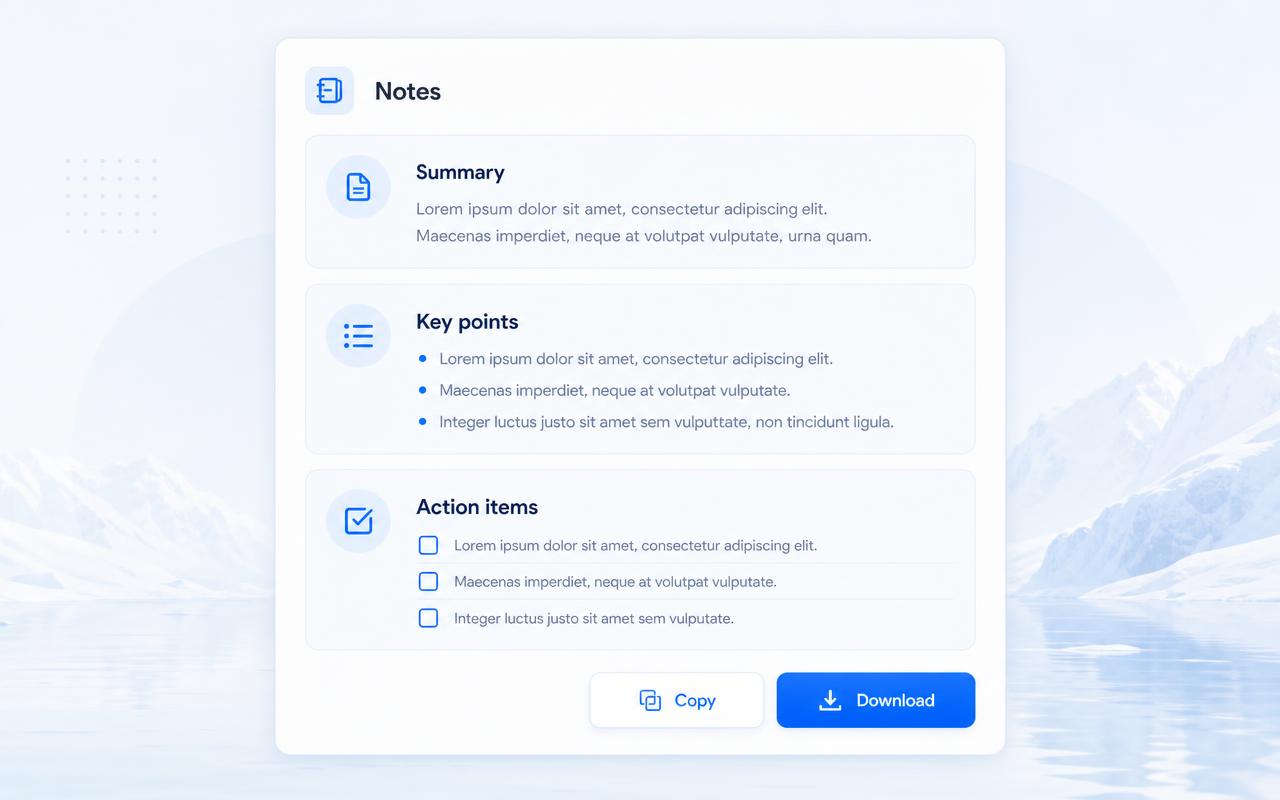
Notas y resúmenes, sin teclear
La transcripción se convierte en notas ordenadas, con puntos clave, decisiones y tareas que puedes copiar o descargar.
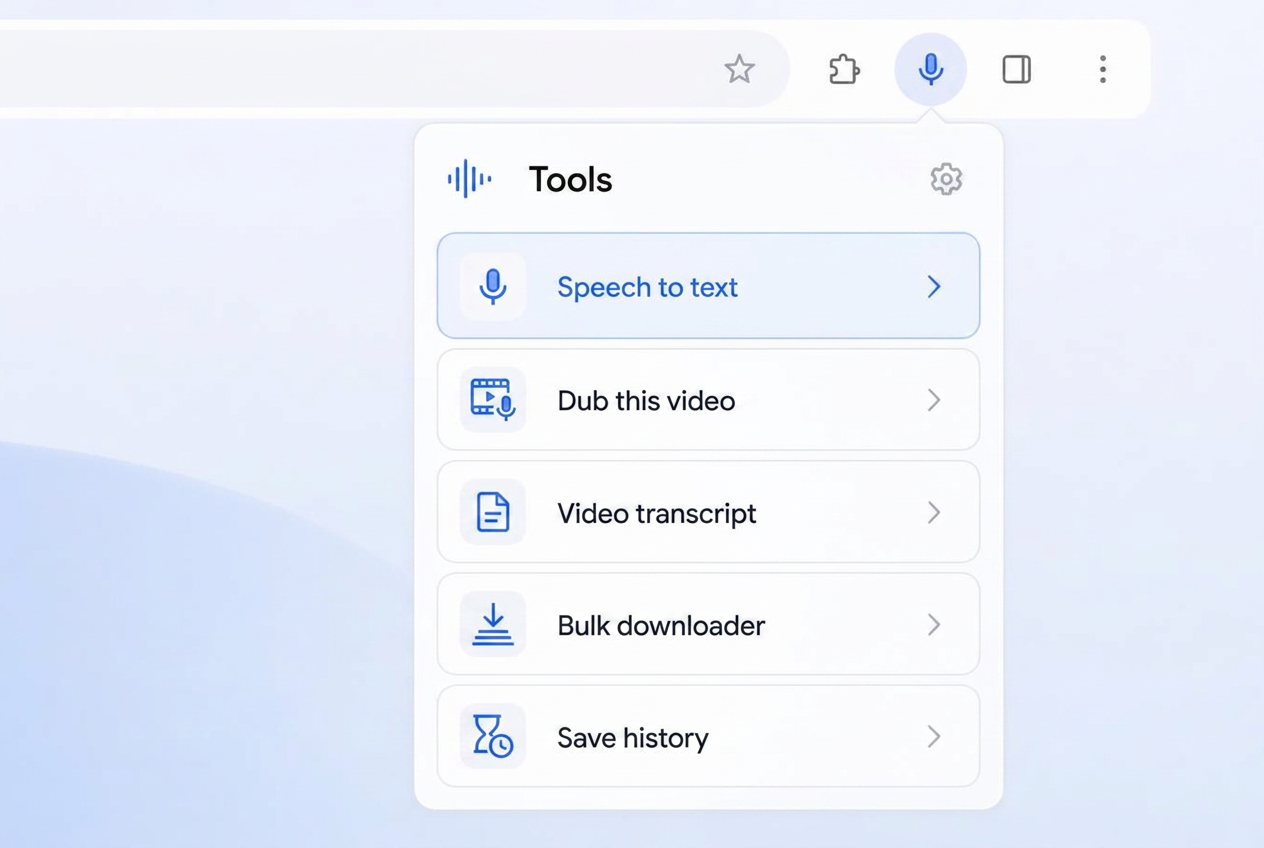
Voz a texto en la fila de herramientas
Una fila con el micrófono está arriba en la ventana, así la escucha empieza en un clic, con un indicador mientras corre.
Historial de notas, 7 días en tu equipo
Las sesiones recientes se quedan una semana en la ventana, solo en tu máquina, y luego se borran solas.
Subtítulos y transcripciones
Elige SRT para llevarte los subtítulos, o manda el vídeo al generador de transcripciones ya rellenado, en 75 idiomas.
Un botón por publicación, nunca un montón
Una comprobación por enlace quita los duplicados, así cada publicación, Reel, Short o clip lleva un único botón Guardar.
Discreta donde debe serlo
Los botones solo se pegan a medios reales, fotos y carruseles incluidos, y desaparecen en perfiles y pantallas vacías.
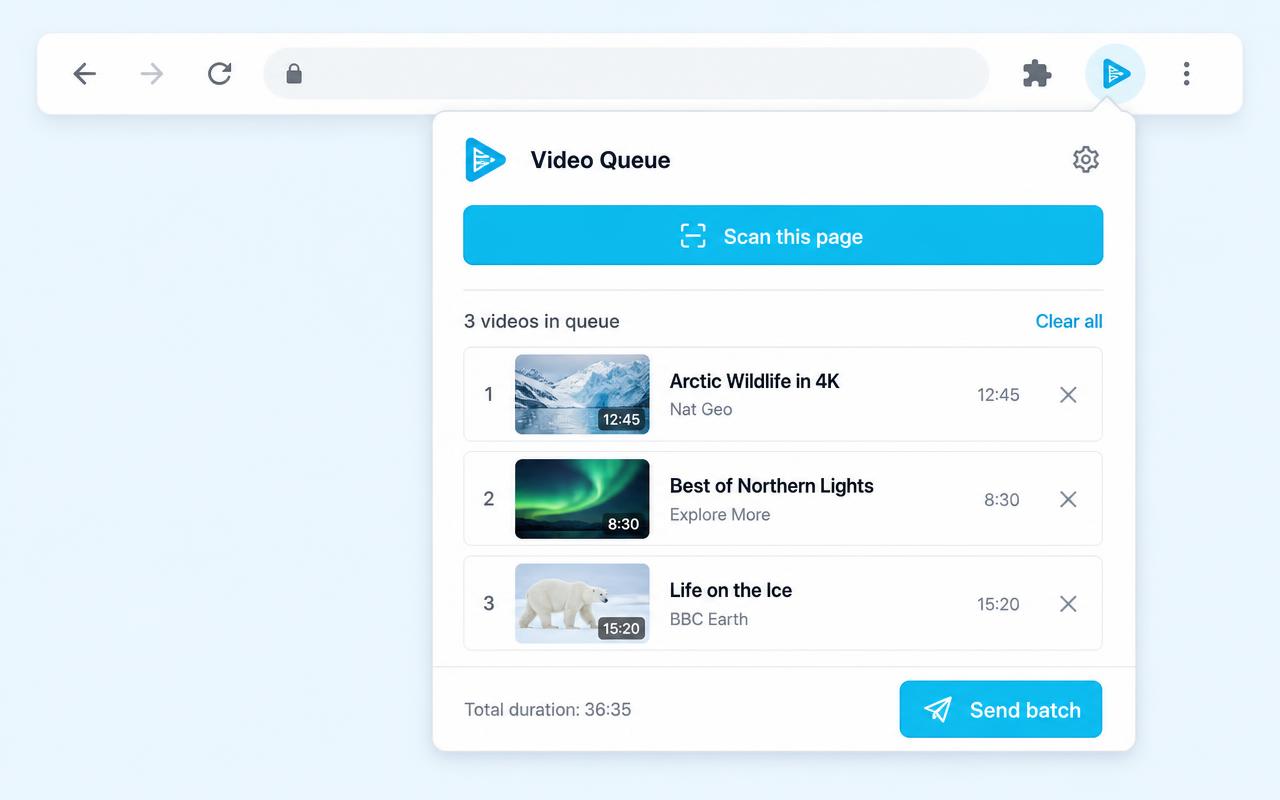
Cola y guardado por lotes
Añade clips a una cola local mientras navegas y luego entrega todo el lote al descargador masivo en un clic.

Analizar esta página
Un clic encuentra todos los vídeos de la página actual y los deja en la cola.
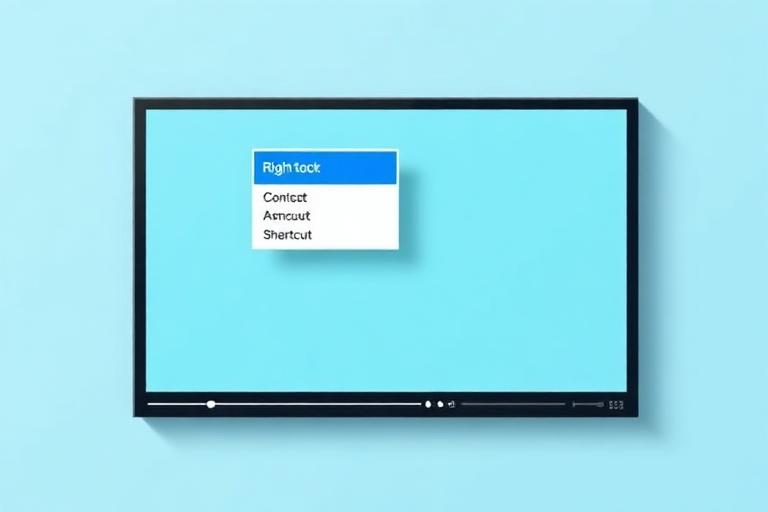
Clic derecho y Alt+S
Guardar con SaveClipX vive en el menú del clic derecho de Chrome, y Alt+S guarda lo que se esté reproduciendo sin tocar el ratón.
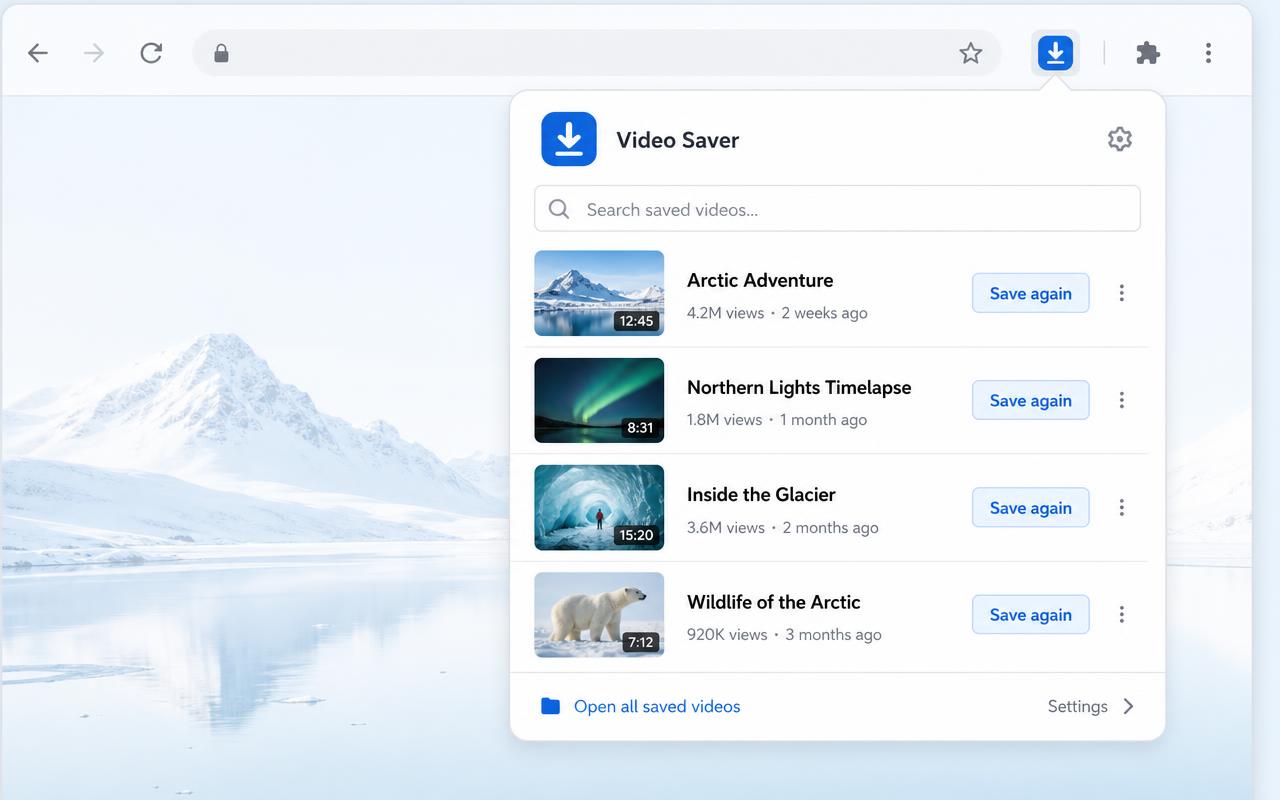
Historial con búsqueda
Todo lo que guardaste sigue en la ventana, con buscador y un botón para guardar otra vez. Vive solo en tu dispositivo.
Todas las herramientas del sitio a un clic
La ventana enlaza directo al generador de transcripciones, al conversor MP3, al compresor, al conversor, al eliminador de marcas de agua y al descargador masivo.

16 plataformas compatibles
TikTok, Instagram, YouTube, Facebook, X, Pinterest, Reddit, Bilibili y las demás, sin marca de agua cuando el origen lo permite.

Gratis, sin cuenta, nada almacenado
Sin registro, sin contador diario, sin archivos guardados de nuestro lado. Las preferencias y el historial se quedan en tu navegador.
Comprueba tu instalación
Cuando Chrome haya cargado la carpeta, vuelve aquí y haz la comprobación. Busca la extensión solo en esta página y no se envía nada a ningún sitio.
- 1Abre cualquier publicación de TikTok, Instagram o YouTube y busca el botón Guardar cerca de los controles.
- 2Pulsa el icono de SaveClipX en la barra, la ventana debería mostrar el enlace de la pestaña en la que estás.
- 3Haz clic derecho en cualquier vídeo y elige Guardar con SaveClipX. Se abre una pestaña de SaveClipX con el enlace puesto.
Qué hace
En cualquier sitio compatible, el botón Guardar se coloca junto a los controles de la publicación. Un clic abre la página de SaveClipX que corresponde, con tu enlace listo, ya sea la página de TikTok sin marca de agua o la de YouTube en MP4.
También hay un botón en la barra de herramientas para las páginas donde el botón no puede colocarse, un menú con clic derecho sobre cualquier enlace o vídeo con las mismas opciones de formato, el atajo Alt+S para lo que esté en pantalla y una ventana con accesos al generador de transcripciones, al compresor, al conversor, a MP3 y al eliminador de marcas de agua.
Funciona en TikTok, Instagram, Facebook, YouTube, X, Threads, Douyin, Snapchat, LinkedIn, Vimeo, Dailymotion, Rumble, Tumblr, Pinterest, Bilibili y Reddit.
Cualquier vídeo en cualquier sitio
Fuera de las 16 plataformas sociales, la extensión vigila los reproductores de vídeo reales. Pasa el cursor por un vídeo en un periódico, en un curso, en un blog o en un reproductor incrustado y aparece una pastilla Guardar en la esquina.
Primero lee el archivo del propio reproductor y, cuando el sitio lo esconde detrás de un blob, recurre al manifiesto de la transmisión que la página pidió, así los reproductores que suelen bloquear el clic derecho igual entregan un enlace utilizable.
Elige la calidad antes de guardar
Cada pastilla Guardar lleva una flecha pequeña. Ábrela y elige la mejor calidad, 4K, 1080p, 720p, 480p, solo audio en MP3 o los subtítulos en un archivo SRT. La elección se recuerda, así el siguiente clic va directo al mismo formato.
Si eliges una resolución, el descargador se abre con ese archivo ya marcado, y si eliges subtítulos se abre el generador de transcripciones, donde puedes guardar el texto como TXT, SRT o VTT.
Pon una página entera en la cola y guarda todo de una vez
Añadir a la cola, en cualquier pastilla, va reuniendo vídeos mientras sigues bajando. Analizar esta página, desde la ventana de la extensión, recorre todo el feed de una vez y deja lo que encuentra en la misma lista.
Cuando termines, Guardar toda la cola abre el descargador masivo con todos los enlaces ya escritos. La cola vive en tu navegador, puedes quitar elementos sueltos o vaciarla entera.
Historial con búsqueda
Cada guardado queda en la ventana con su título, su plataforma y su hora, hasta los últimos cien. Escribe en el buscador para encontrar uno y pulsa Guardar otra vez para volver a abrirlo en la herramienta correcta.
La lista vive solo en tu navegador. Nunca se sube a ningún sitio y un clic en Borrar la elimina.
Qué no hace
No lee tu cuenta, ni tus mensajes, ni tu historial de navegación, y no nos envía nada. Lo único que hace es abrir una pestaña de SaveClipX con la dirección de la página en la que estabas.
No hay anuncios dentro de la extensión, ni píxeles de seguimiento, ni redirecciones de afiliados, ni cupones inyectados. La descarga, la conversión y la transcripción ocurren en la web, donde siguen siendo gratis.
Funciona en
Preguntas frecuentes
¿La extensión es gratis?
Sí. No hay cuenta, ni prueba limitada, ni plan de pago dentro de la extensión.
¿Descarga el vídeo por sí misma?
No. Entrega el enlace a SaveClipX y la descarga ocurre allí, igual que si hubieras pegado el enlace tú mismo.
¿Qué navegadores funcionan?
Cualquier navegador Chromium: Chrome, Edge, Brave, Arc y Opera. Firefox necesita una versión aparte, que todavía no está lista.
¿Por qué no está en la Chrome Web Store?
Por ahora se instala como extensión descomprimida. Cargarla a mano lleva unos treinta segundos y los pasos están arriba.
¿El botón Guardar aparece en todas las publicaciones?
En casi todas. Las redes cambian su diseño a menudo, así que cuando el botón no puede colocarse aparece un botón flotante, y el botón de la barra siempre funciona.
¿Cómo se actualiza la extensión?
Una extensión descomprimida no se actualiza sola, así que cuando publicamos un cambio descargas el zip de esta página otra vez, lo extraes sobre la carpeta anterior, abres chrome://extensions y pulsas la flecha de recarga en la tarjeta de SaveClipX. Cuando esté en la Chrome Web Store, las actualizaciones llegarán solas. La versión que tienes se muestra en la comprobación de instalación de arriba.
¿Puedo seguir usando la web sin ella?
Sí, no cambia nada. La extensión solo te ahorra el paso de copiar y pegar.