
SaveClipXブラウザ拡張機能
閲覧中の投稿に小さな保存ボタンが表示されます。クリックするとSaveClipXが新しいタブで開き、リンクがすでに入力された状態になるので、コピー&ペーストの手間が省けます。この拡張機能自体が何かをダウンロードやアップロードすることはなく、リンクを渡すだけです。
Chrome, Edge, Brave, Arc and Opera. Free, no account, nothing stored.
4ステップでインストールする方法
- 1
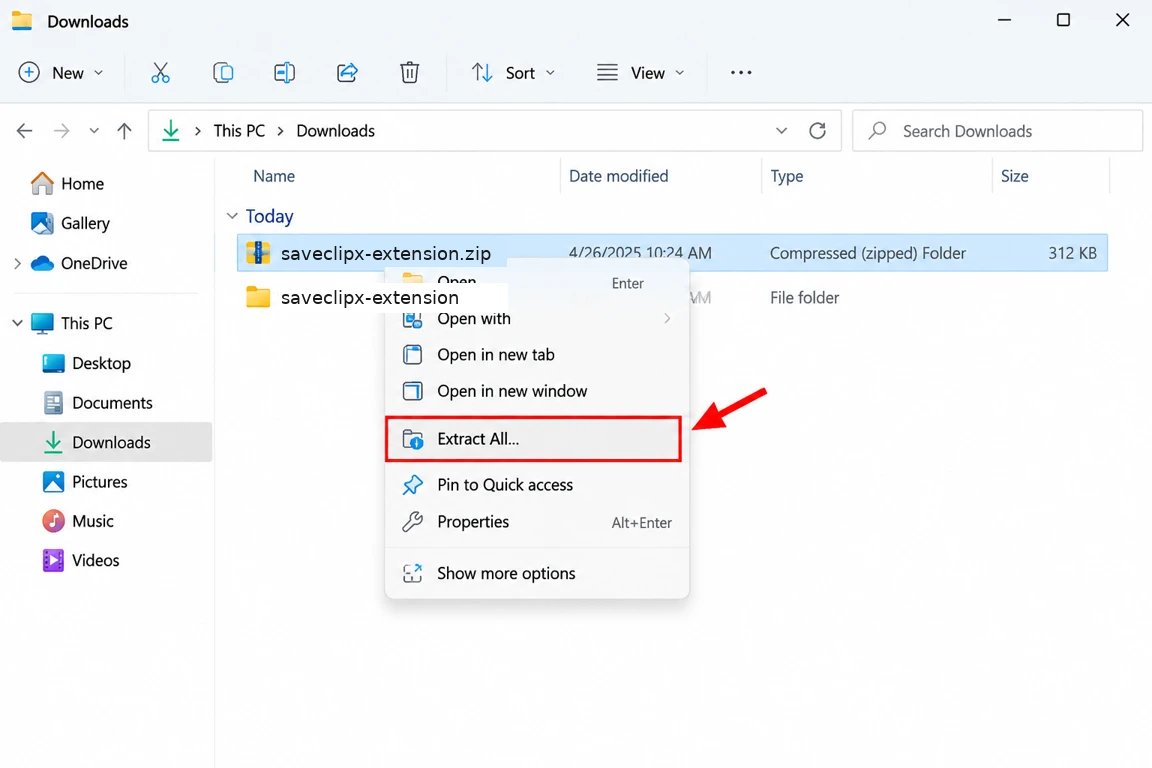
下のダウンロードボタンをクリックし、ファイルを右クリックして「すべて展開」を選びます。saveclipx-extensionというフォルダが作成されます。
- 2
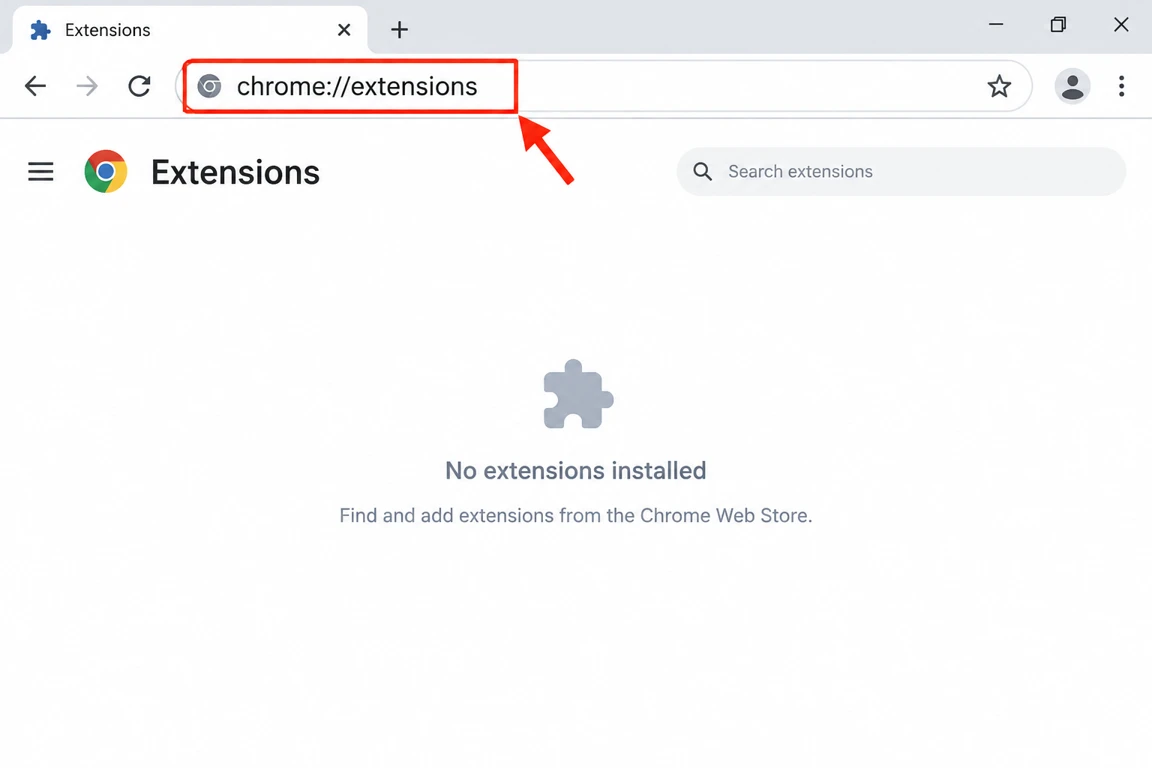
新しいタブを開いてchrome://extensionsにアクセスします。
- 3
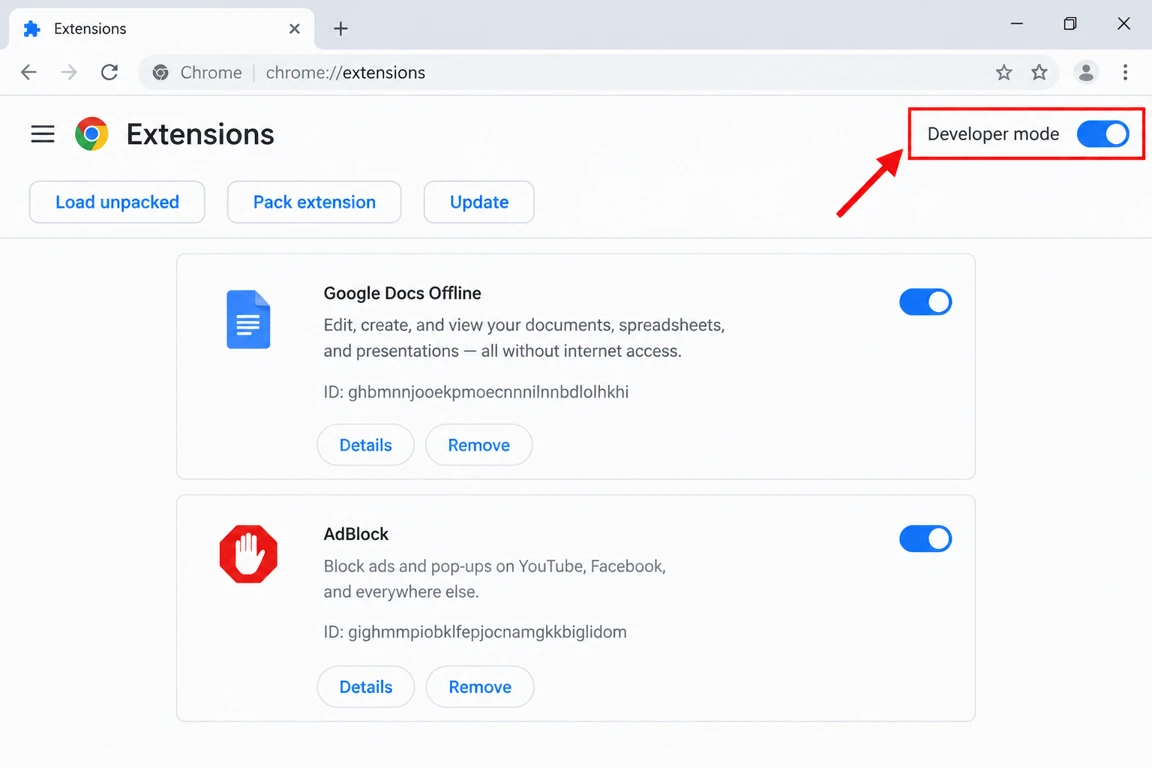
右上にあるスイッチでデベロッパーモードをオンにします。
- 4
「パッケージ化されていない拡張機能を読み込む」をクリックし、saveclipx-extensionフォルダを選択して「フォルダーの選択」をクリックします。これで完了です。ツールバーにアイコンが表示されます。
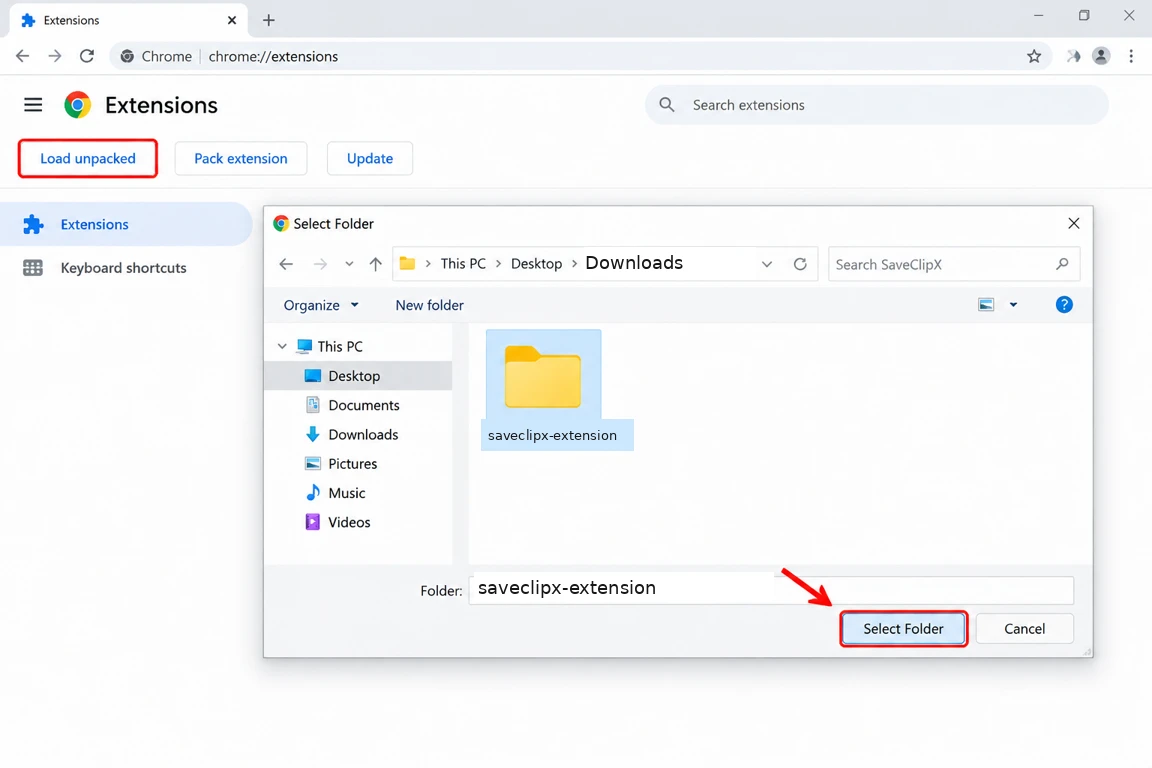
ヒント、フォルダ自体を選んでください。中を開いたり、zipファイルを選んだりしないでください。Chromeはmanifest.jsonが入っているフォルダのみ受け付けます。
こちらのストアでも配信中
ワンクリックで導入、更新は自動で届きます。
How it looks

What the extension does
Save pill on every post
A small Save button sits on posts, feeds, Reels, Shorts and TikTok, so you never leave the page you are scrolling.

Any video, anywhere
A floating pill appears on sites we do not have a page for, whenever a real video is playing on screen.
Quality picker
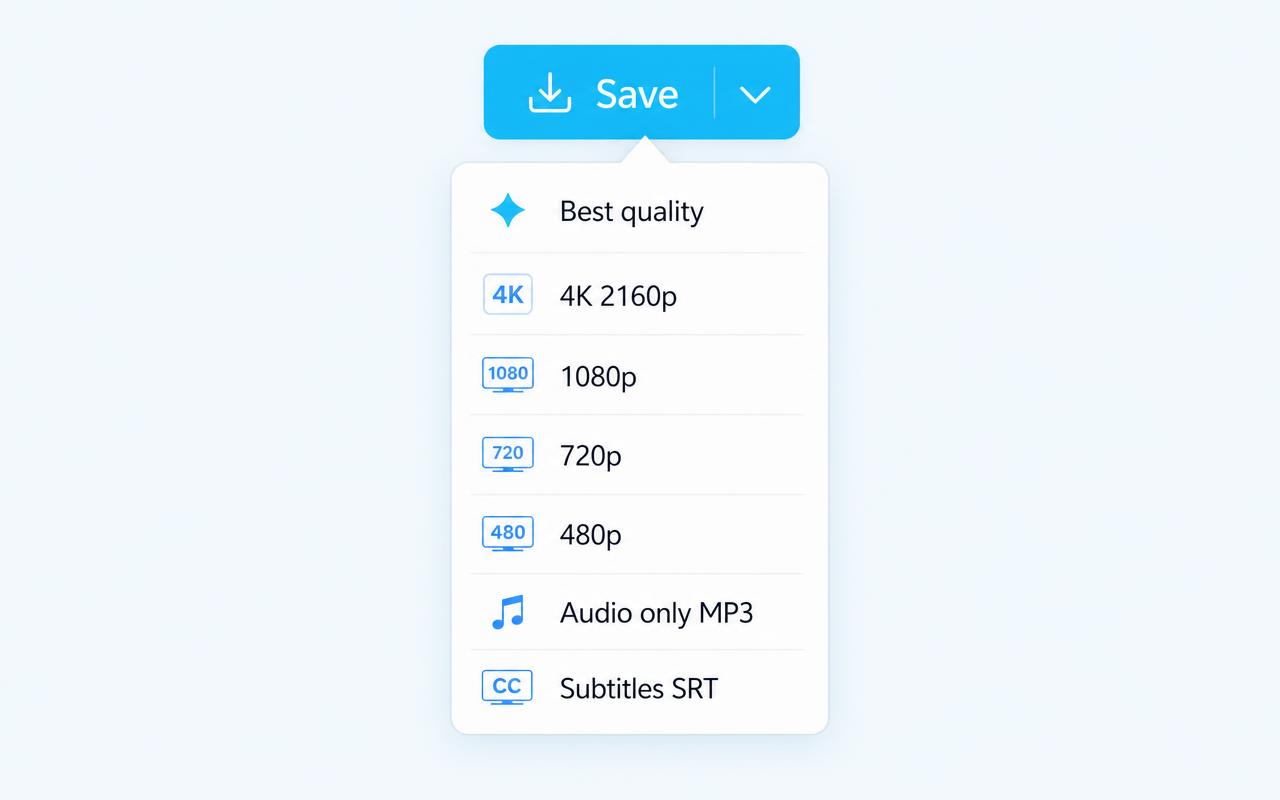
The caret next to Save opens best quality, 4K 2160p, 1080p, 720p or 480p. Your pick becomes the default next time.

Audio only, MP3
Pull just the sound from any supported clip, straight from the same menu.
Dub any video in place
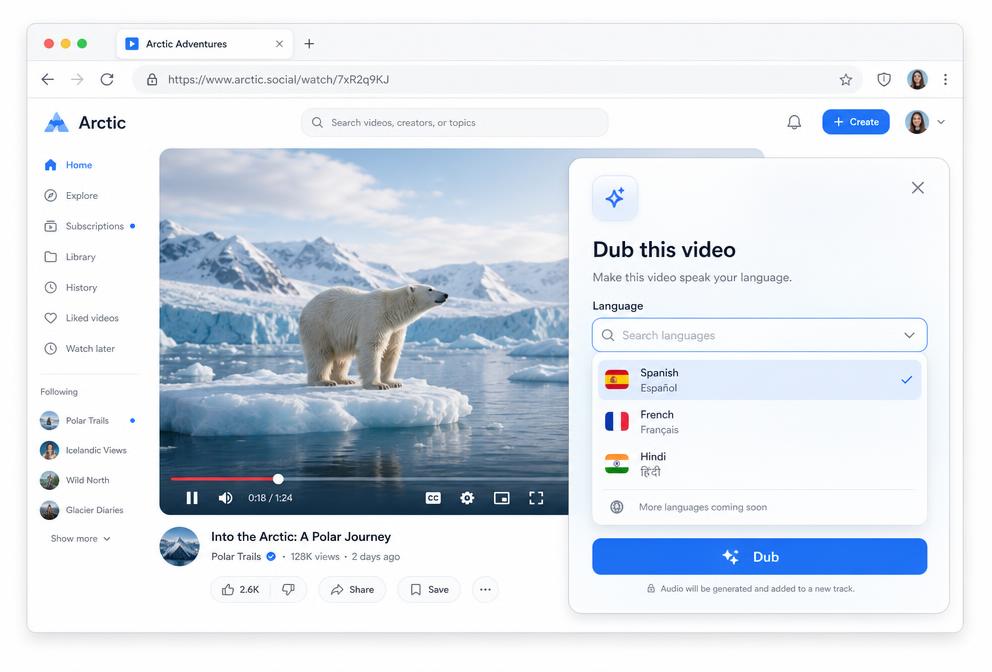
Pick a language and the video you are already watching starts speaking it, in a panel on the page, with no redirect to another site.

190 plus dubbing languages
A searchable picker covers every major language plus pidgins and creoles, and your last choice is remembered.
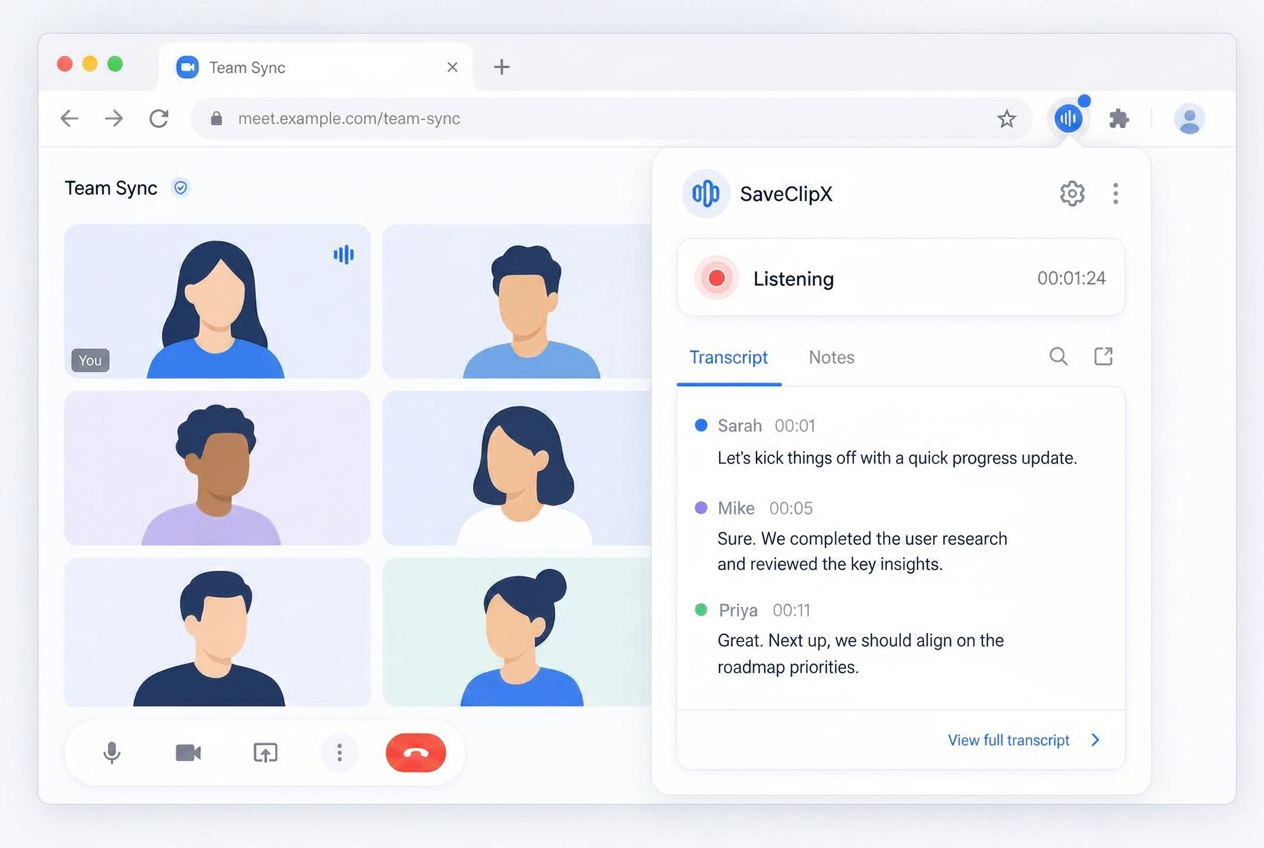
Speech to text for meetings
Start listening on any call tab and the spoken words are written out live, with the mic and the tab audio mixed together.
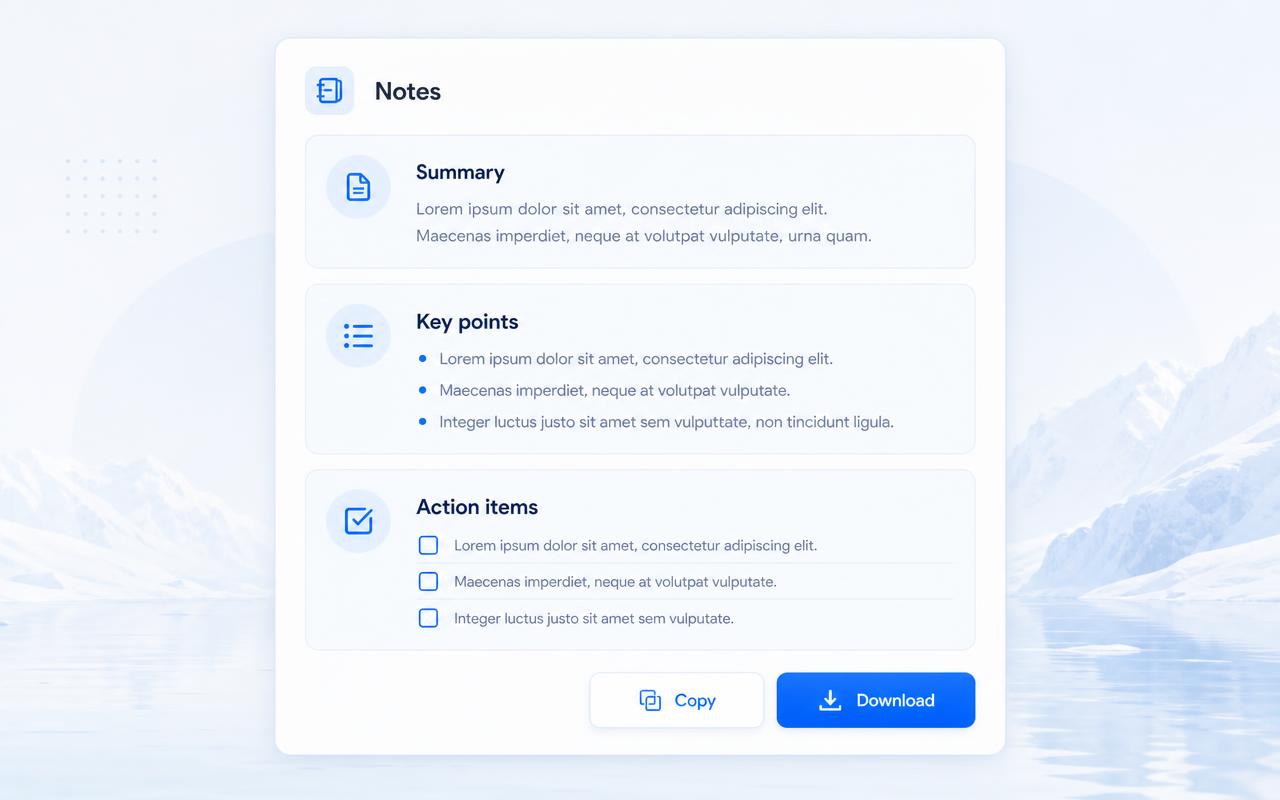
Notes and summaries, no typing
The transcript is turned into organised notes, key points, decisions and action items you can copy or download.
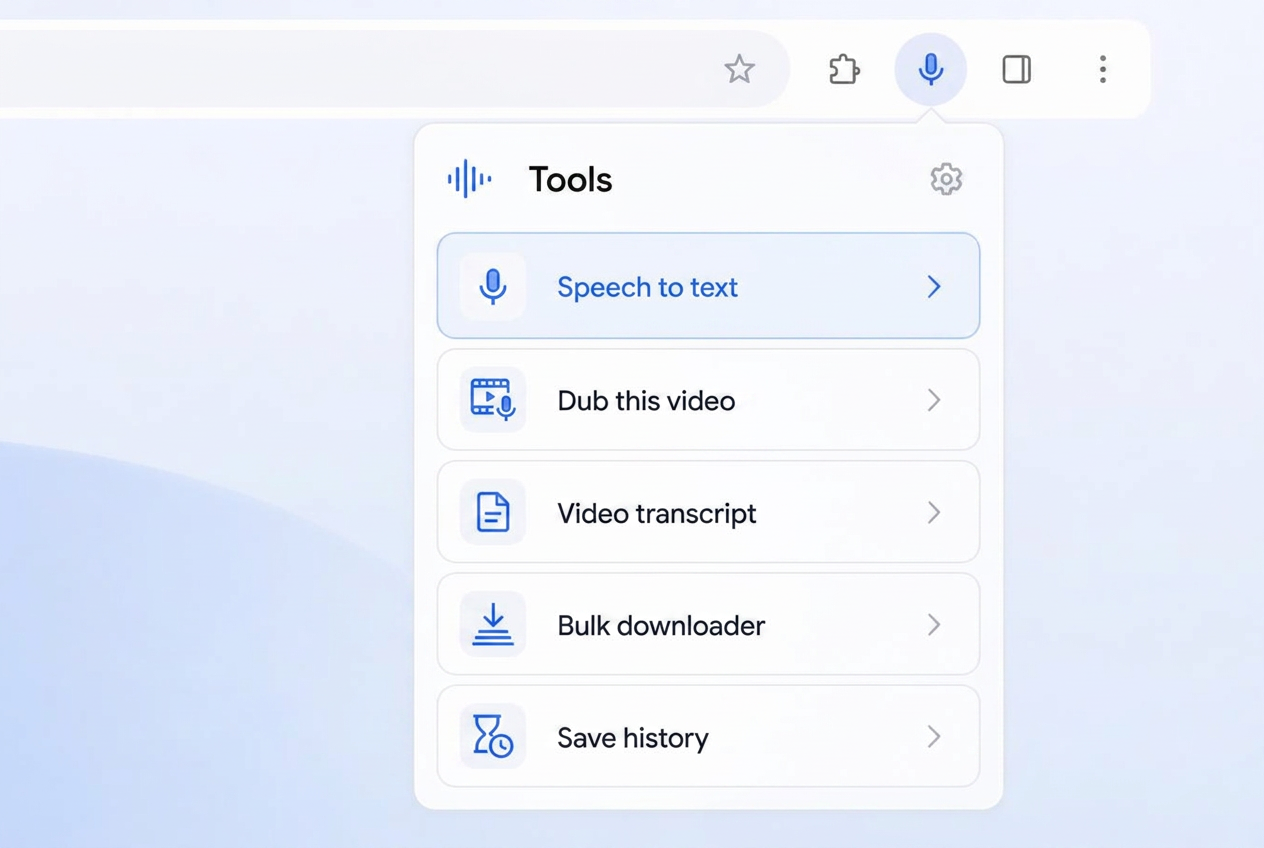
Speech to text in the tools row
A mic row sits at the top of the popup, so listening starts in one click, with a live indicator while it runs.
Notes history, 7 days on device
Recent sessions stay in the popup for a week, on your machine only, then clear themselves.
Subtitles and transcripts
Pick SRT to grab subtitles, or send the video to the transcript generator already filled in, in 75 languages.
One button per post, never a pile
A link based check removes duplicates, so each post, Reel, Short or clip carries exactly one Save button.
Quiet where it should be
Buttons only attach to real media, photos and carousels included, and disappear on profile pages and empty screens.
Queue and batch saves
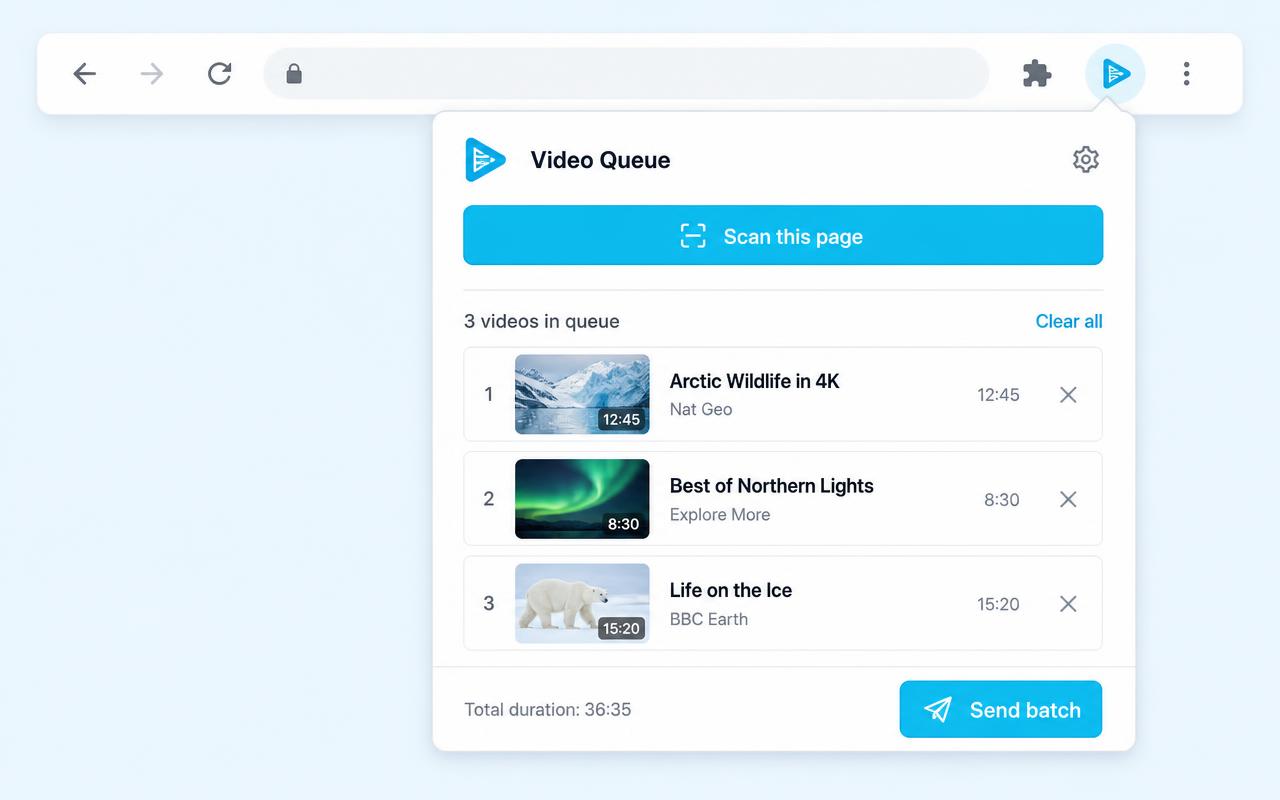
Add clips to a local queue while you browse, then hand the whole batch to the bulk downloader in one click.

Scan this page
One click finds every video on the current page and drops them all into the queue.
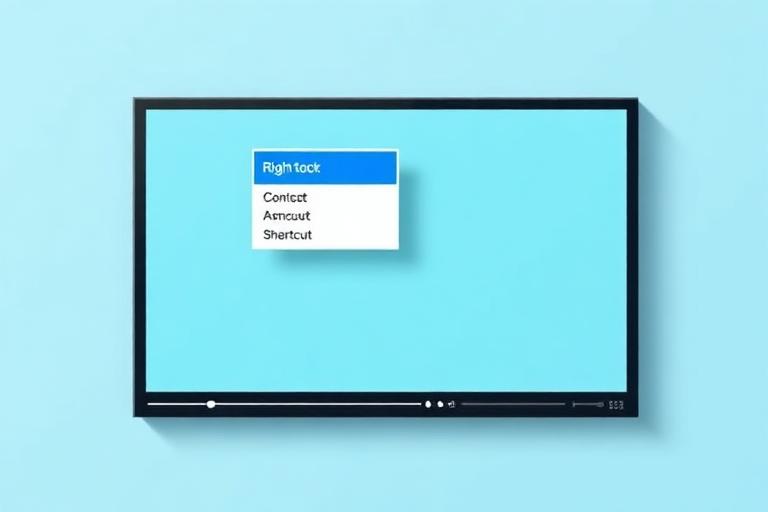
Right click and Alt+S
Save with SaveClipX lives in the Chrome right click menu, and Alt+S saves whatever is playing without touching the mouse.
Searchable history
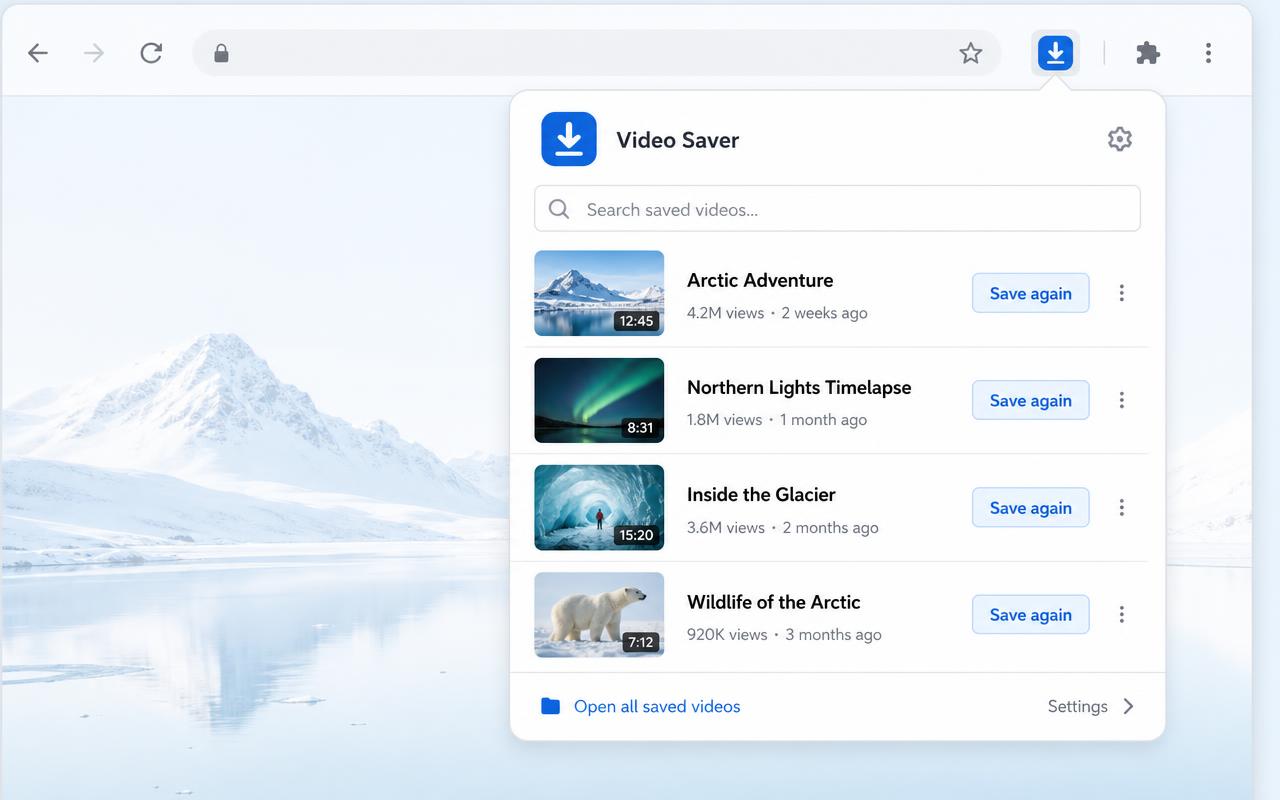
Everything you saved stays in the popup, searchable, with a Save again button. It lives on your device only.

All the site tools, one click away
The popup links straight to the transcript generator, MP3 converter, compressor, converter, watermark remover and bulk downloader.

16 platforms supported
TikTok, Instagram, YouTube, Facebook, X, Pinterest, Reddit, Bilibili and the rest, watermark free where the source allows it.

Free, no account, nothing stored
No sign up, no daily counter, no files kept on our side. Preferences and history stay in your browser.
Check your install
Once Chrome has loaded the folder, come back here and run the check. It looks for the extension on this page only, nothing is sent anywhere.
- 1Open any TikTok, Instagram or YouTube post and look for the Save button near the post controls.
- 2Click the SaveClipX icon in the toolbar, the popup should show the link of the tab you are on.
- 3Right click any video and pick Save with SaveClipX. A SaveClipX tab opens with the link filled in.
できること
対応しているサイトでは、投稿のコントロールの隣に保存ボタンが表示されます。クリック一つで、TikTokの透かしなしページやYouTubeのMP4ページなど、対応するSaveClipXのページがリンク入力済みの状態で開きます。
インラインボタンを設置できないページ用のツールバーボタン、同じ形式の選択肢を持つリンクや動画への右クリックメニュー、画面上のものに使えるAlt+Sのショートカット、文字起こし生成ツール、圧縮ツール、コンバーター、MP3、透かし除去ツールへのショートカットを備えたポップアップもあります。
TikTok、Instagram、Facebook、YouTube、X、Threads、Douyin、Snapchat、LinkedIn、Vimeo、Dailymotion、Rumble、Tumblr、Pinterest、Bilibili、Redditで動作します。
どのサイトのどんな動画にも対応
16のソーシャルプラットフォーム以外でも、この拡張機能は実際の動画プレイヤーを監視します。ニュースサイト、講座ページ、ブログ、埋め込みプレイヤー上の動画にカーソルを合わせると、隅に保存ピルが表示されます。
まずプレイヤー自体のファイルを読み取り、サイトがそれをblobの後ろに隠している場合は、そのページがリクエストしたストリームのマニフェストにフォールバックします。そのため、通常右クリックをブロックするプレイヤーでも使えるリンクを取得できます。
保存前に画質を選べる
各保存ピルには小さな矢印が付いています。開くと、最高画質、4K、1080p、720p、480p、MP3の音声のみ、SRTファイルの字幕から選べます。選択内容は記憶されるので、次回のクリックは同じ形式に直接進みます。
解像度を選ぶと、そのファイルがすでにハイライトされた状態でダウンローダーが開き、字幕を選ぶと代わりに文字起こし生成ツールが開き、テキストをTXT、SRT、VTTとして保存できます。
ページ全体をキューに入れて一括保存
各保存ピルの「キューに追加」は、スクロールを続けている間に動画を集めていきます。ポップアップの「このページをスキャン」は、フィード全体を一度に調べて、見つけたものすべてを同じリストに追加します。
終わったら、「キューをすべて保存」で一括ダウンローダーが開き、すべてのリンクがすでに入力された状態になります。キューはブラウザ内に保存され、個別の項目を削除したり、まとめてクリアしたりできます。
検索できる履歴
保存した項目はすべて、タイトル、プラットフォーム、時刻とともにポップアップに直近100件まで保持されます。検索ボックスに入力して見つけ、もう一度「保存」をクリックすると正しいツールページで再度開けます。
このリストはブラウザ内にのみ保存されます。どこにもアップロードされることはなく、「クリア」をクリックすれば消去されます。
しないこと
アカウント、メッセージ、閲覧履歴を読み取ることはなく、こちらに何かを送信することもありません。この拡張機能が行うのは、閲覧していたページのアドレスを持ったSaveClipXのタブを開くことだけです。
拡張機能内に広告、トラッキングピクセル、アフィリエイトリダイレクト、埋め込みクーポンは一切ありません。ダウンロード、変換、文字起こしはすべてウェブサイト上で行われ、そこでは引き続き無料です。
Works on
よくある質問
この拡張機能は無料ですか?
はい。拡張機能内にアカウントも、試用期間も、有料プランもありません。
拡張機能自体が動画をダウンロードするのですか?
いいえ。リンクをSaveClipXに渡し、ダウンロードはそちらで行われます。自分でリンクを貼り付けた場合とまったく同じです。
どのブラウザで動作しますか?
Chromium系のブラウザすべてで動作します。Chrome、Edge、Brave、Arc、Operaです。Firefoxは別のビルドが必要で、まだ公開されていません。
なぜChromeウェブストアにないのですか?
現時点ではパッケージ化されていない拡張機能としてインストールします。手動での読み込みは30秒ほどで完了し、手順は上に記載しています。
保存ボタンはすべての投稿に表示されますか?
ほとんどの投稿で表示されます。ソーシャルサイトはレイアウトを頻繁に変更するため、ボタンを設置できない場合はフローティングボタンにフォールバックし、ツールバーボタンは常に使えます。
拡張機能はどうやって更新されますか?
パッケージ化されていない拡張機能は自動更新されないため、変更を公開した際はこのページからzipファイルを再度ダウンロードし、既存のフォルダに上書きで展開したうえで、chrome://extensionsを開いてSaveClipXのカードにある更新矢印をクリックしてください。Chromeウェブストアに掲載されれば、更新は自動的に届くようになります。現在お使いのバージョンは上記のインストール確認欄に表示されています。
拡張機能なしでもサイトを使い続けられますか?
はい、何も変わりません。拡張機能はコピー&ペーストの手間を省くだけです。
拡張機能を使う前に知っておきたいこと
最大のポイント
拡張機能を入れると再生中の投稿に保存ボタンが直接表示され、リンクをコピーする手間が省けます。
対応ブラウザ
Chromeをはじめ、Chromium系のブラウザであれば同じ拡張機能がそのまま動きます。