
Voz para texto
Voz para texto acontece enquanto você fala: aperte gravar e as palavras aparecem sozinhas. Converter voz em texto grátis online, ditado e transcrição de áudio sem cadastro.
Ele transcreve enquanto você fala e escreve as notas quando você para. O áudio é lido uma vez para criar as notas e nunca é armazenado.
Experimente o fluxo, passo a passo
Uma demonstração ao vivo da extensão ouvindo uma reunião e escrevendo as notas.
Transcrição ao vivo
Nada ainda, a transcrição começa assim que alguém fala.
Por que as pessoas usam
Os arquivos são transmitidos diretamente para o seu dispositivo. Não guardamos cópia do vídeo ou do link.
Sem cadastro, sem e-mail, sem pixel de rastreamento. Cole um link e salve o arquivo.
Todas as ferramentas no site são gratuitas, sem limite diário de download.
Escolhemos o fluxo de melhor qualidade que a fonte oferece, até 4K onde disponível.
Uma colagem, um clique. Sem filas, sem salas de espera, sem anúncios forçados entre as etapas.
Funciona em qualquer navegador moderno no celular, tablet e desktop. Nada para instalar.
Como fica em uso
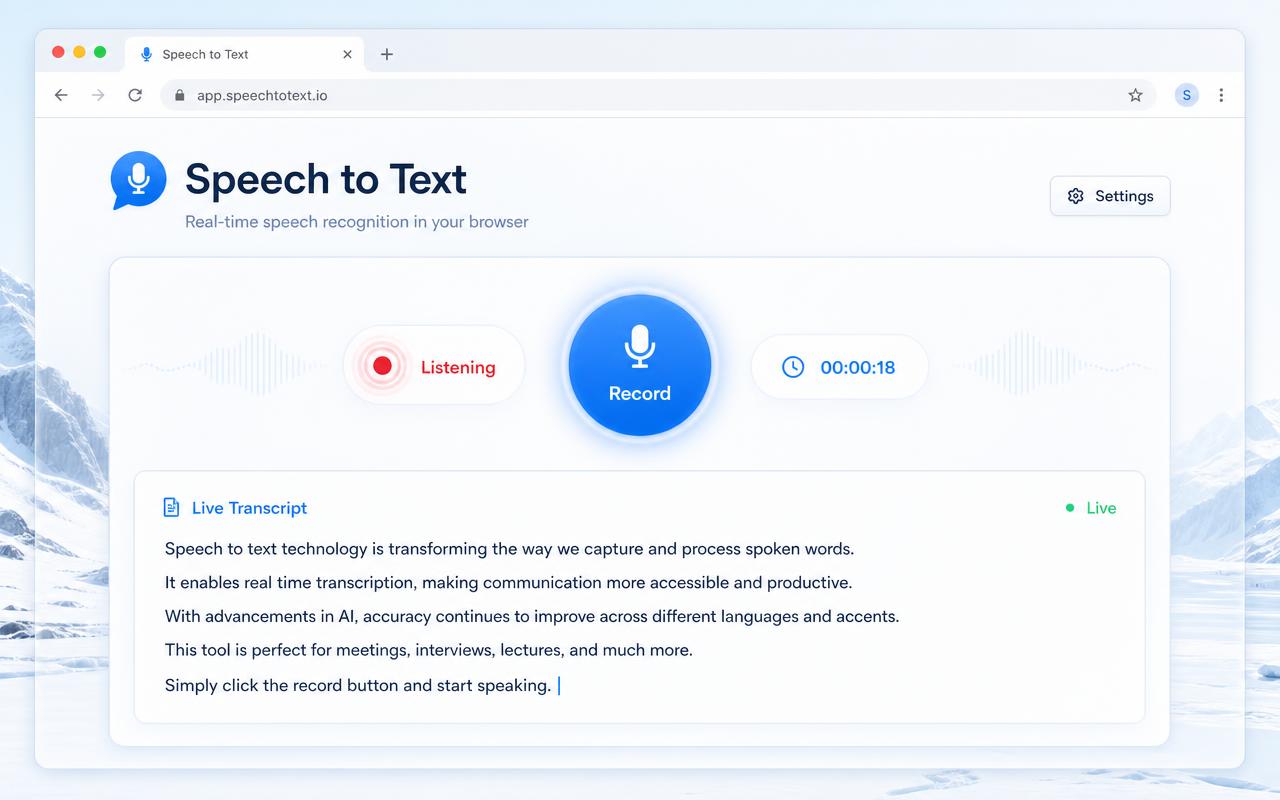
Aperte gravar e fale
A página ouve pelo seu microfone e a transcrição cresce linha por linha enquanto você fala, em qualquer idioma falado. Nada é digitado e nada é armazenado.
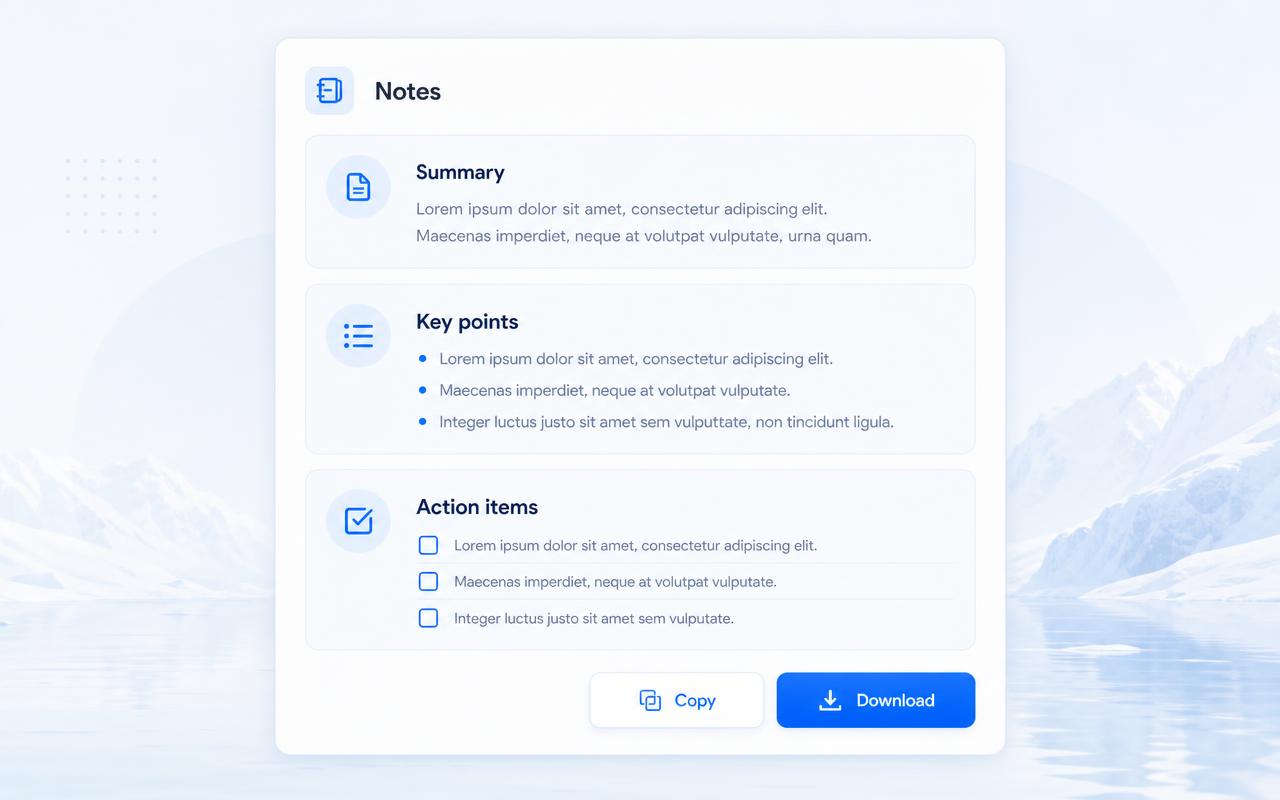
As notas se escrevem sozinhas
Quando você para, a conversa vira um resumo curto, os pontos principais e itens de ação que você pode copiar, baixar como texto ou baixar como Markdown.
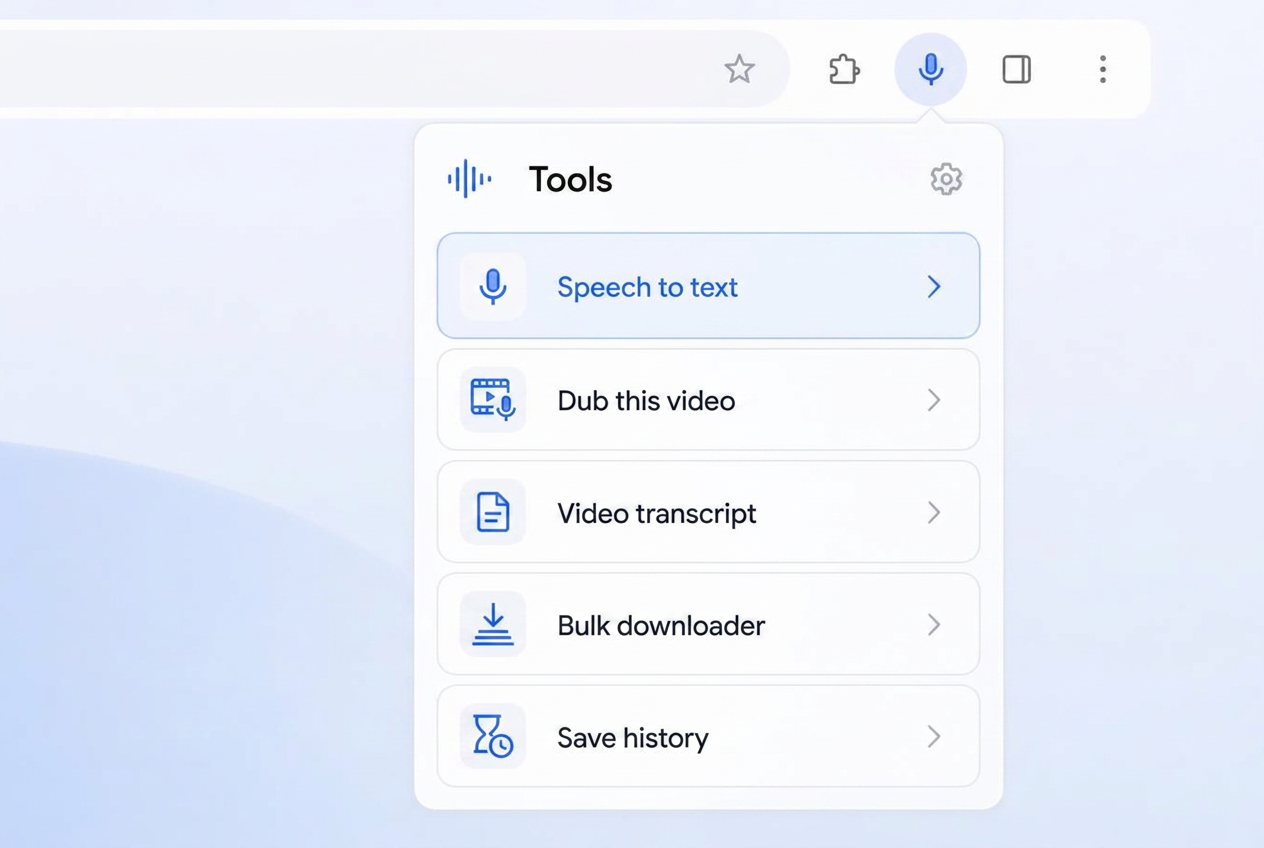
Fala em texto na extensão
Clique no ícone da SaveClipX na barra de ferramentas e a lista de ferramentas abre. A primeira linha mostra Fala em texto com um ícone de microfone, bem onde você já está olhando.
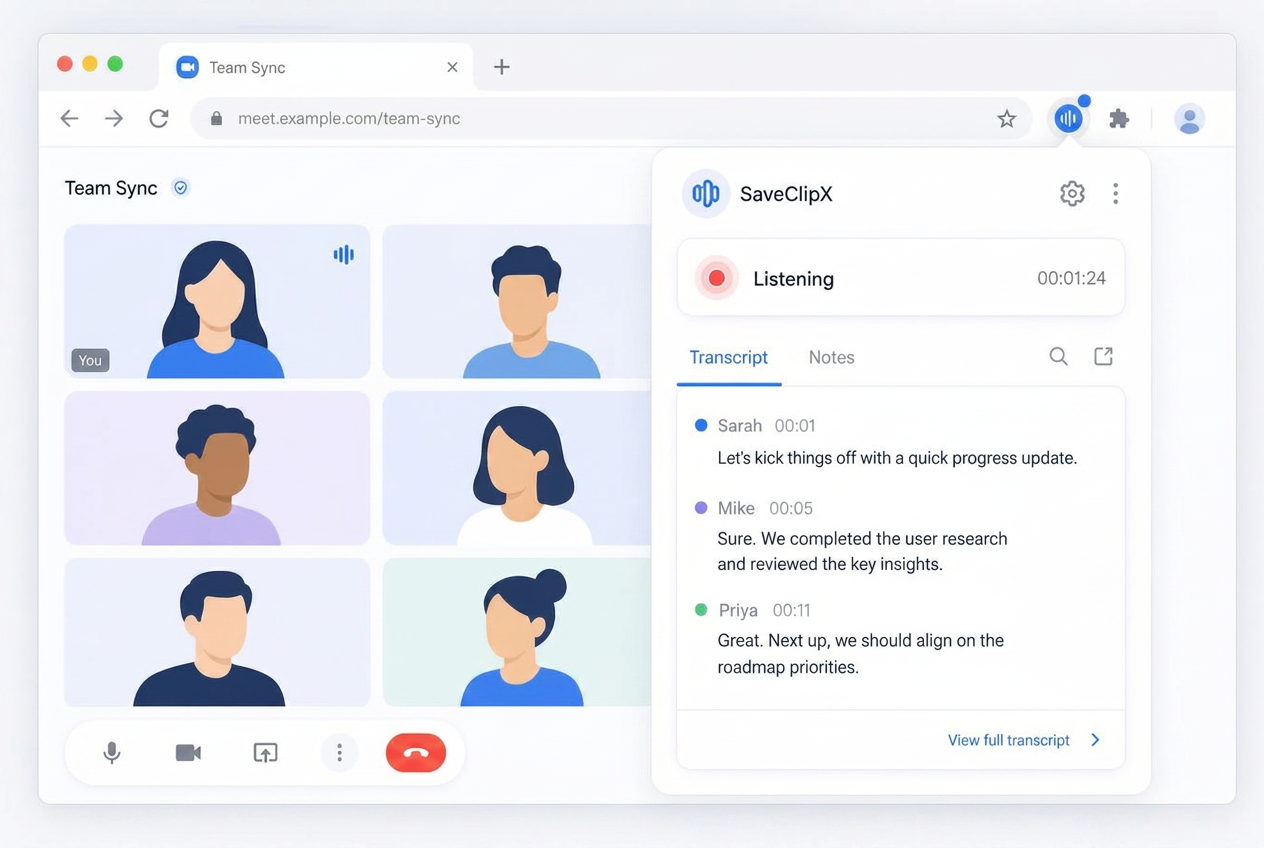
Continua ouvindo durante toda a reunião
Inicie em qualquer reunião no navegador e ele captura a aba e seu microfone. A linha mostra Ouvindo com um cronômetro, a gravação continua com o popup fechado, e as notas atualizam enquanto a reunião acontece.
Como converter voz em texto
Selecione gravar para transcrever ao vivo do seu microfone, enviar para converter uma gravação que você já possui, ou cole um link para extrair a fala de um vídeo.
Deixe o idioma falado no automático e ele detecta o que está sendo dito, ou defina-o quando você já souber, o que ajuda com sotaques fortes e alternância de código.
A transcrição é construída enquanto você fala, em pequenas janelas, para que você possa acompanhar a leitura em vez de esperar pelo final.
Transcrição de reunião e resumo automático de reunião
Cada sessão termina com notas escritas a partir da transcrição: um parágrafo de resumo curto, os pontos chave, tudo o que foi decidido e itens de ação com proprietários onde um nome foi realmente falado.
As notas são editáveis na página, para que você possa arrumar uma linha antes de copiá-la ou fazer o download como texto ou Markdown.
Com a extensão de navegador SaveClipX, você também pode capturar uma reunião de navegador, Google Meet, Teams web, Zoom web ou uma conversa no Slack, na seção Ferramentas do pop-up da extensão, e enviar as notas para cá para finalizá-las.
Voz para texto em qualquer idioma
O lado da fala reconhece dezenas de idiomas automaticamente, então uma reunião em espanhol, hindi, indonésio ou iorubá transcreve nesse idioma, em vez de ser forçada para o inglês.
O idioma das notas é separado. Mantenha a transcrição exatamente como falada e ainda peça o resumo em outro idioma, o que é útil quando as notas vão para uma equipe que não compartilha o idioma da reunião.
Ditado para texto
O mesmo gravador funciona para ditado. Fale um rascunho em voz alta, pare, depois copie o texto diretamente para um documento.
Sessões longas continuam sendo executadas porque a guia é mantida ativa, então uma reunião de uma hora não para quando você muda de aplicativo.
Privacidade em primeiro lugar
O áudio é enviado em pequenas janelas, lido uma vez e descartado. Nada sobre a gravação é gravado em um banco de dados e nada é mantido após o fechamento da página.
Não há conta, então não há histórico vinculado a uma pessoa. Baixe o que você deseja manter.
Perguntas frequentes
O que é voz para texto?
Transforma palavras faladas em texto escrito automaticamente, assim você obtém uma transcrição de uma reunião, uma nota de voz ou seu próprio ditado sem digitar.
Este serviço de voz para texto é gratuito?
Sim. Gravação ao vivo, uploads, links e as notas são todos gratuitos, sem conta e sem marca d'água.
Pode transcrever uma reunião?
Sim. Grave a reunião na guia, ou envie a gravação depois, e você obtém a transcrição, além de um resumo, pontos chave e itens de ação.
Funciona em tempo real?
Sim. A transcrição chega em pequenas janelas enquanto você fala, para que você possa acompanhar a leitura em vez de esperar pelo final.
Quais idiomas ele suporta?
Dezenas são detectados automaticamente e você pode definir o idioma falado. As notas podem ser escritas em um idioma diferente do que foi falado.
Pode converter voz em texto de um vídeo?
Sim. Cole o link do vídeo, ou envie o arquivo, e a fala nele é transcrita da mesma forma.
Vocês armazenam meu áudio ou minhas notas?
Não. O áudio é lido uma vez para fazer o texto e descartado, e nada é salvo do nosso lado. Baixe as notas para guardá-las.
A transcrição tem carimbos de data e hora?
Sessões ao vivo são texto contínuo. Para linhas cronometradas, use o gerador de transcrição, que retorna as indicações com tempos de início e fim.
Preciso da extensão?
Não. A página grava diretamente do seu microfone. A extensão é útil apenas quando você deseja o áudio da guia da reunião, bem como sua própria voz.
Qual o tempo máximo de uma gravação?
Sessões ao vivo podem durar horas porque o áudio é enviado em pequenas janelas. Gravações enviadas podem ter até 2 GB e são processadas em partes menores.